Capacitor Firebase Sign in with Apple
- 在
Firebase Console>Authentication, 启动Sign in with Apple. 记下 Firebase 提供的callback URL.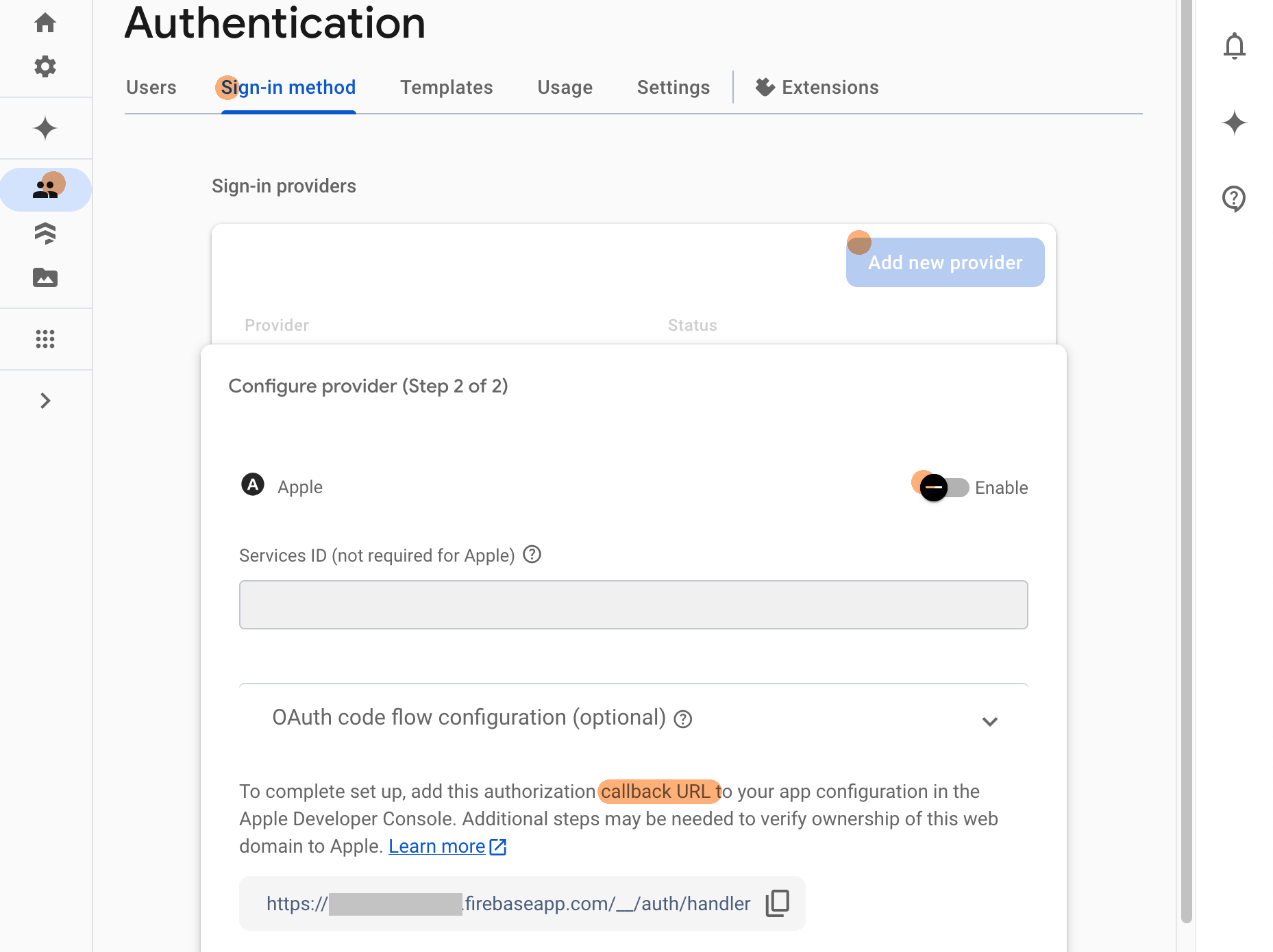
- 在
Apple Developer> Certificates, Identifiers & Profiles 找到当前应用. 增加Sign in with Apple能力, 同时填入之前之前步骤记下的callback URL.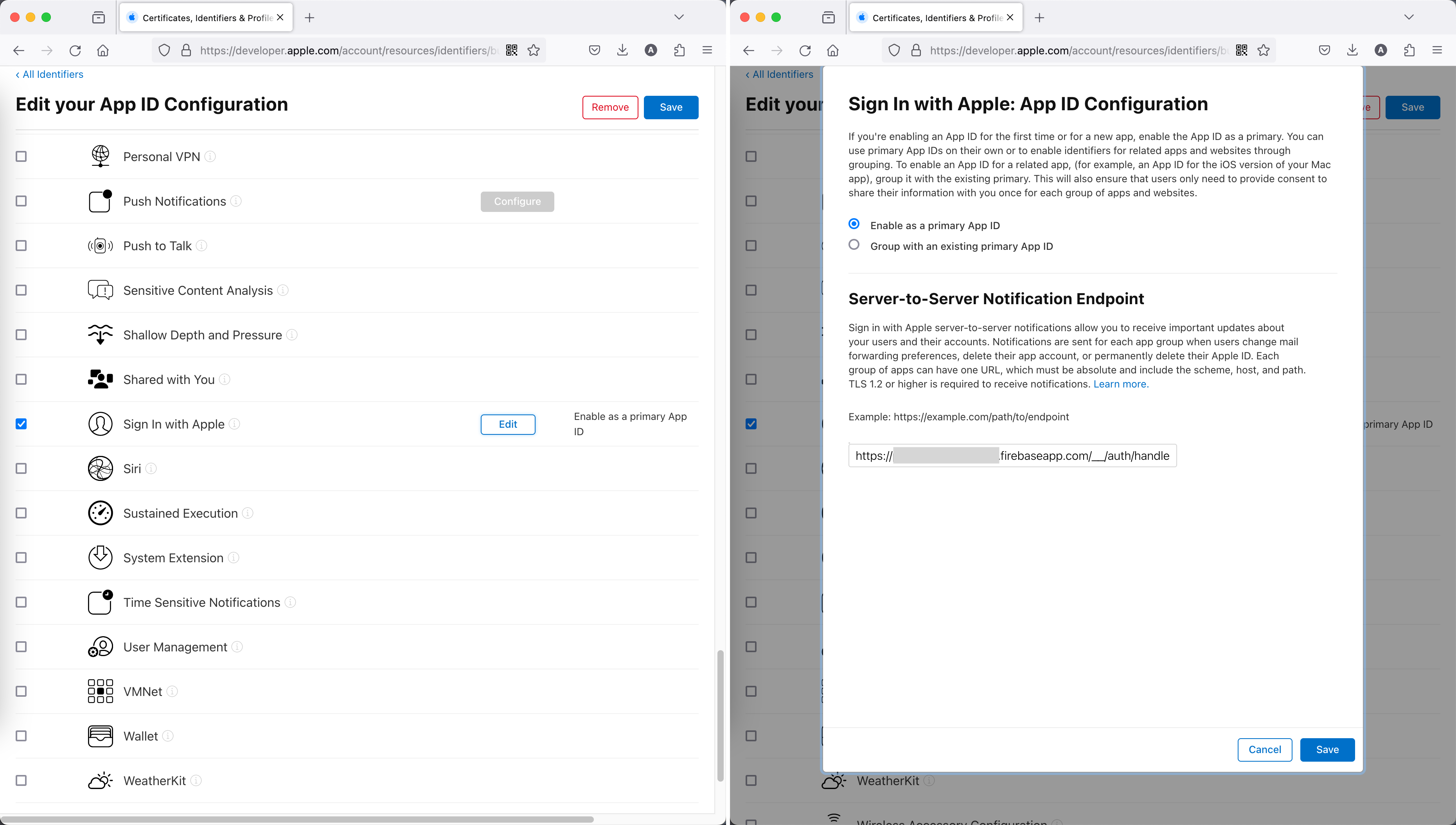
- 在
Xcode中增加Capability>Sign in with Apple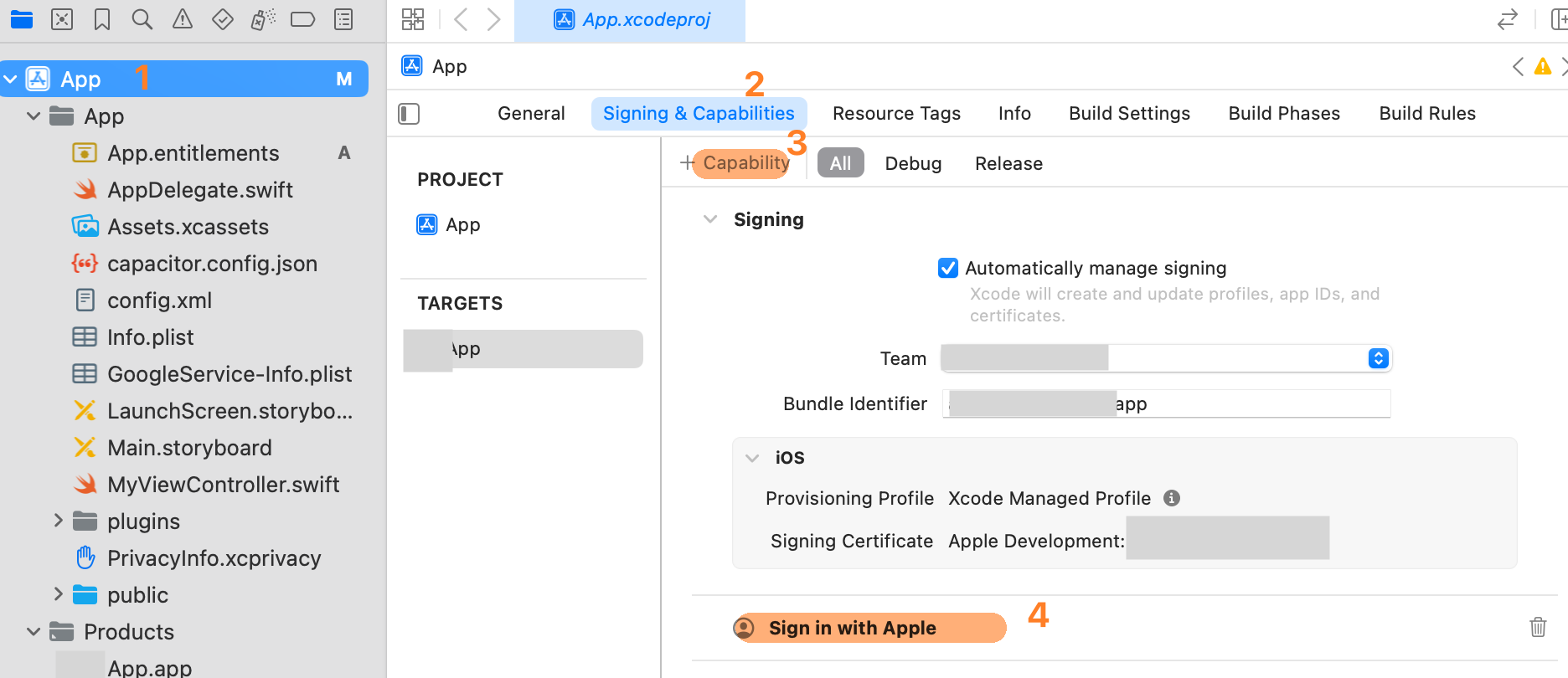
- 增加
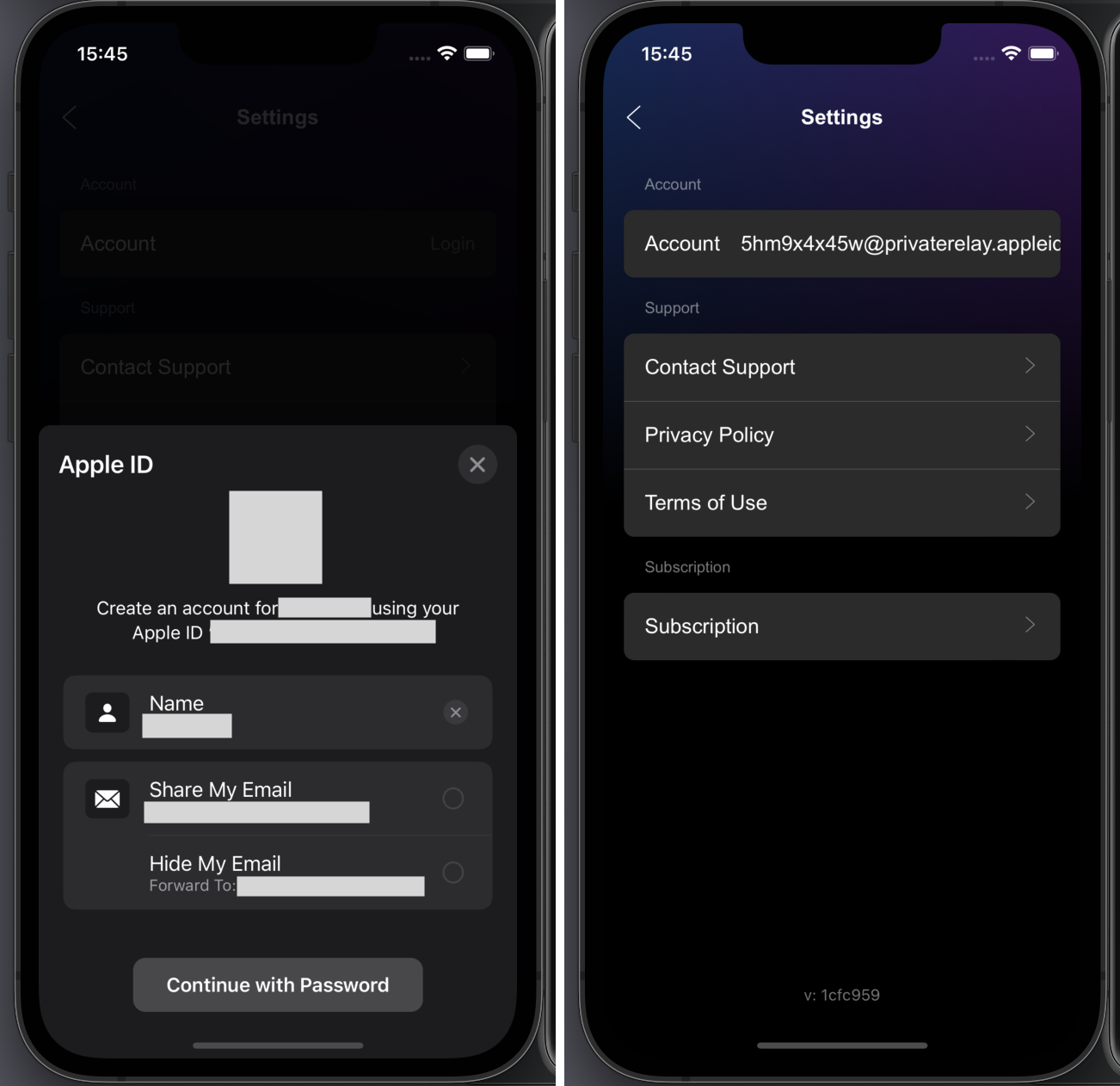
Sign in with Apple相关的代码ts// src/stores/auth.ts import { FirebaseAuthentication } from '@capacitor-firebase/authentication' const signInWithApple = async (): Promise<User | null> => { try { const { user } = await FirebaseAuthentication.signInWithApple() console.log('[signInWithApple] success, uid = ', user?.uid) currentUser.value = user return user } catch (error) { console.log('[signInWithApple] error ', JSON.stringify(error, null, 2)) return null } } - 如果整合是成功的, 点下苹果登录的按钮后, 一个描述为 "Create an account for APP_NAME using your Apple ID YOUR_APPLE_ID" 的对话框会弹出